Offline expression generator · macOS

Your mockups should sound played, not programmed.

Palpito is an offline MIDI CC expression generator: it drafts phrase-aware CC1 and CC11 curves for orchestral sample libraries — the swells, the leans, the breath between notes — so your line arrives already breathing.

Palpito Pro's dark interface with the second flute line from Beethoven's Seventh, bars 34 to 41, loaded on Legato and the Mood Cantabile at an intensity arc of 8.4: the piano roll sits above three generated lanes — CC1 one long arc that rises and settles across the whole passage, CC11 the same shape with a lean into each phrase, and a vibrato lane headed CC4, Orch. Tools, the per-library remap.
The real app, in Pro — Beethoven 7 on second flute, Legato, Mood Cantabile, arc 8.4. Every curve on screen was drafted from the notes; the third lane is the per-library vibrato remap, routed to CC4 for Orchestral Tools.

Double opt-in · we'll email you the moment the free download opens, then a note when a new version ships or the pre-order opens — nothing else, unsubscribe in one click.

Offline. Your music never leaves your machine. Deterministic. Same input, same curve. Rule-based. A written engine, not a model.
Why Palpito exists

The hours that make it sound alive are the hours you never get back.

I'm a working media composer, and Palpito came out of my own daily struggle. Riding expression by hand, note by note, is the most time-eating part of a mockup — but time is only half of the problem. Doing it properly means riding a fader on an external controller with one hand while you play the part with the other, live, in one pass. That is a performance skill of its own, and I am not among the best in the world at it. Drawing the same curves afterwards with a mouse, node by node, is close to a lost cause. So most of us render the sketch, wince a little, and move on.

So I spent a lot of time digging into what actually separates a convincing line from a fake one: how players breathe, bow and phrase, how each sample library maps dynamics, expression and vibrato, the physics of air and bow — and distilled it into a deterministic engine. Knowledge, not a black box.

Here's my honest stance:

a skilled composer riding CC by hand, given the time, will always beat any tool.

Palpito never questions that. It exists for the rest of us — everyone without those hours, or without that third hand — and gives you a draft that already breathes, so your work goes into the music instead of into drawing lanes.

A colleague on the second screen

Not a plugin you forget in a channel strip.

Palpito is a companion app: it sits open next to your DAW while you work. Drop a part in, generate, drag the result back onto the track. It guides while you go — the status bar explains the anticipatory expression and suggests the exact track-delay compensation; the lanes show why the curve does what it does.

  1. 1Drop your MIDI in. One instrument or a full section — Palpito reads the notes, rests and overlaps and finds the phrase boundaries.
  2. 2Generate. Pick library, instrument and articulation; set the intensity arc and humanize. The curves are drawn per passage, per instrument.
  3. 3Drag it back. The result drags straight into your DAW track as standard MIDI, CC lanes written in. Audition, tune to taste, stay the performer.
Palpito zoomed to four bars on a French horn line from Holst's Mars: the CC1, CC11 and CC2 breath lanes, the full-timeline drag and resize strip, and the status bar advising a −22 ms track delay. The intensity arc is set gently, at 2.5.
Working close-up — a horn line at a 4-bar zoom, the status bar explaining the anticipatory expression as you go.
What it actually does

Every line, shaped the way a player would shape it.

Phrase-aware CC1 + CC11

Two controllers, two different jobs.

CC1 carries the broad dynamic arc — the timbre opening as it gets louder. CC11 does the finer, faster shading on top. Palpito shapes both to the phrase and references them to the tempo, so loudness rises toward a peak and relaxes at the close — played, not sprinkled at random.

Palpito's CC1 Modulation and CC11 Expression lanes over two long viola phrases from Beethoven's Seventh: CC1 carries the broad dynamic arc while CC11 draws its own finer, faster shading on top — two visibly different breathing curves, at a gentle intensity arc of 3.
Real engine output — CC1's broad arc, CC11's own finer shading on top. Click to zoom.
Breath · anticipatory expressionPro

Each instrument breathes its own way.

Winds and brass get real breath behavior: Palpito marks the breaths right in the piano roll and draws the matching dips in the CC lanes — you see where the player would breathe, and the curve doing it. And it changes per instrument, following each one's mechanics and the published breathing literature: a flute at forte runs dry in seconds, an oboe almost never — so their lines breathe differently. On brass the breath lane is written to CC2, the controller those libraries listen on; on woodwinds and strings the third lane stays the vibrato one. The breath engine is a Pro feature. Reserve Pro →

Palpito Pro at a four-bar zoom on the first flute line from Beethoven's Seventh, bars 34 to 41 at an intensity arc of 2.7, with AIR ticked and no Mood: cyan breath marks stand in the piano roll where the player would take a breath, and the CC1 and CC11 lanes notch downward at exactly those points before recovering.
Flute · Legato · no Mood · arc 2.7 — Beethoven's Seventh, first flute, bars 34–41, at a four-bar zoom. The cyan marks in the roll are where the player runs out of air; CC1 and CC11 dip at exactly those marks and recover. Measured on this line, the breath dip averages 28 counts on CC11 — the shallower notches between them are legato joins, not breaths. Click to zoom.
Vibrato

Vibrato that behaves like a hand.

Real players don't switch vibrato on with the note — it arrives late and deepens as the phrase leans. Palpito draws exactly that: onset delayed per instrument, depth following the phrase. It gets its own lane — CC21 · Spitfire in the free app. Pro re-maps the output to your library's vibrato CC — Cinematic Studio, VSL Synchron, Orchestral Tools, or a custom number.

It also knows what a hand can't do: on an open string there's no finger to rock, so it draws no vibrato there. You can see it in the output — the open Gs in this very phrase get none, while the stopped note beside them, exactly as long, swells.

A close crop of Palpito's piano roll and its three lanes on the cello melody from Saint-Saens' The Swan, thirteen notes of varied length, with the Mood Cantabile: the CC21 vibrato lane rises to a high plateau across the melody and drops to exactly nothing on the two open A notes inside it.
Cello · Sustain · Mood Cantabile · arc 9.5The Swan (Saint-Saëns), the cello melody: thirteen notes from one beat to nine and a half, eight different pitches — two of them adjacent E4s that meet with no gap, so the roll draws those two as one bar and you can count twelve. Watch CC21: it carries vibrato through the melody and falls to exactly nothing on the two open A strings inside it. Measured per note, the stopped notes peak at 98–105 and the open ones at 0 — two levels rather than a gradient, and the Mood is what lifts them: the same notes top out at 66–72 without it. A player cannot vibrate an open string, and Palpito does not pretend otherwise. Click to zoom.
The arc · Humanize · Density

Control without drawing a single point.

One intensity arc (1–10) sets how much the phrase leans — it opens at 5, the setting every release is auditioned at, so a fresh install already sounds like the app rather than like a default; Humanize and Density add life and detail; curves can be smooth Bézier or stepped — all free. For strings, bow changes are routed with real, tempo-spaced timing Pro.

You shape the performance with a few dials — then export and refine in your DAW. It's a starting point you own, not a preset you're stuck with.

A recording of Palpito’s window while the intensity arc is turned: the dial moves from 5 down to 2, where the CC1 and CC11 lanes flatten almost level, then up to 9, where they swing between every note, then settles at 6 — on a dense staccato viola line, zoomed to four bars.
The arc, moved by hand. It opens at 5, drops to 2 — the lanes go nearly level — climbs to 9, where every note leans, and settles at 6. One dial, nothing drawn. Weber Freischütz viola, staccato, at a four-bar zoom.
Phrasing

It finds the phrase where the music turns.

A phrase used to begin after a rest long enough to count. On a line written without rests — which is how a great deal of legato writing looks — that meant the whole passage came out as one long arc. On viola, french horn and clarinet, Palpito now reads where the bar lines actually fall in your part and opens a phrase where the music turns. If the part has no readable beat it looks for a figure that repeats and phrases at each restatement; if there is no repeat either, it follows the rise and fall of the line and opens a phrase after each valley.

It also starts a new phrase where the texture changes — single notes to chords, or a held pedal entering — and where your part steps from one dynamic to another, mezzo-forte to piano and back. A gradual crescendo is left alone: a section change is a step, not a slope, and Palpito tells them apart.

Nothing you already had moves. The rest rule still comes first; the new boundaries are added to the ones it already found.

Palpito Pro on a legato flute playing a clarinet line from Holst's Mars, Mood Cantabile at a fixed intensity arc of 2.1 with Humanize 11 and Density 100: the CC1 and CC11 lanes lean gently through the phrase and stay slurred across every join, and the view holds a two-bar zoom while it travels along the middle of the part, passing a cyan breath mark in the piano roll, then four notes drawn hollow and dashed because they fall below the flute's bottom C4, then a second breath mark, before pulling back out to the whole part.
Where the phrase turns, at one steady arc. Mood Cantabile, arc fixed at 2.1 — nothing re-generates, so every frame carries the same curves and only the view moves. This is the smoothest operating point this part has that still breathes: 22.4 of CC1 movement per note, where the same window at arc 5 with no Mood gives 70.5, and a ripple of 29.3 against 34.3. The take spends 78% of its length at a two-bar zoom and travels there rather than wide, because that is where the shape of a curve is legible: it opens on a low G3, passes a cyan breath mark — where the engine works out the player has to breathe — crosses four more notes below the flute's bottom C4, drawn as three bars because two adjacent G3s meet with no gap, and closes on a second mark. Hollow and dashed is the out-of-range guard: this is a clarinet line played on a flute, so all eight of its notes under that C4 are marked and not one is moved. Mood Cantabile, arc 2.1, Humanize 11, Density 100.
Chords · phrase joins

A chord is one musical event.

A chord is one musical event with one envelope over the whole stack, so a chorded line shapes like the single-note line it replaces — and the plain notes either side of it keep the shape they would have had on their own. Polyphony in the middle of a phrase costs its neighbours nothing.

Where two phrases touch with no rest between them, the second starts from the level the first one ended on, and the join keeps the shape its own articulation would give any note change — a sustain keeps its dip, portato keeps its detach, legato stays slurred. Two phrases that touch are joined, not welded flat.

Palpito Pro at a four-bar zoom on a viola line that carries two double stops inside one phrase, on Legato with no Mood: the CC1 and CC11 lanes run through the chords without flattening, and the single notes before and after them keep the same rise and fall as the rest of the phrase. Palpito Pro at a two-bar zoom on a Schubert cello line whose notes each overlap the next, on Legato with no Mood: the overlapping notes are visible stacked in the roll and the CC1 and CC11 lanes run through every join as one continuous line, with no dip between the notes.
Double stops inside a phrase
Two things the engine does with notes that sit on top of each other. First frame — Viola · Legato · no Mood · arc 6.8, four-bar zoom: two double stops inside one phrase, stacked in the roll. The lanes carry straight through them, and the single notes either side rise and fall exactly as they do everywhere else. Second frame — Cello · Legato · no Mood · arc 4.6, two-bar zoom: a Schubert line whose notes each overlap the next. The lanes run through every join as one continuous line, because the engine reads an overlap as slurred — measured, CC11 moves a fifth as much per note as it does when the same notes are written separately. Click either to zoom.
Delay compensation

It measures its own latency, and hands you the number.

Expressive CC has a timing cost nobody tells you about: a sampler's dynamic crossfade takes a moment to arrive, so the loudest point of a phrase can land behind the beat that was supposed to carry it. The usual fix is nudging a track delay by ear until it stops feeling late.

Palpito just measures it. After every generation it pairs each musical downbeat with its nearest CC1 peak, takes the median offset in milliseconds, and writes the answer in the status bar — the exact track delay to dial into your DAW, in the sign your DAW expects.

And it tells you when not to. Curves that peak before the beat are the anticipatory shaping working as designed — a player leaning into the downbeat — and a delay would only push the notes late. Palpito says so instead of suggesting a number. Too few beat-aligned peaks to be sure? It says that too, rather than guessing.

A close crop of Palpito's status bar, reading: Latency — CC1 peaks land ~22 ms after downbeats. Apply −22 ms track delay.
The real readout: on this part the peaks land ~22 ms late, so it says apply −22 ms track delay. Measured for your file, not guessed by ear. Click to zoom.

The three verdicts it can reach, verbatim:

  • LatencyPeaks land ~38 ms after downbeats. Apply −38 ms track delay.
  • LatencyPeaks land ~24 ms before downbeats — anticipatory expression (by design); no track-delay compensation.
  • LatencyPeaks within ±5 ms of downbeats — no compensation needed.
Tempo · zoom · full timeline view

A workspace built for reading curves, not squinting at them.

Everything the engine reasons about is on screen, at whatever scale the passage needs — from a single bar under the microscope to a five-minute cue in one glance.

It reads your tempo

Palpito parses the tempo map straight out of your MIDI and shows it in the status bar — 120 BPM, or 120 BPM · 3 tempos when the part changes along the way. That reading isn't cosmetic: the phrase arc is tempo-referenced and the bow-change spacing is timed in real seconds, so the same line phrases differently at 60 and at 160.

Variable zoom

Four presets — 1:1, 2, 4, 16 bars — plus a fine − / + for anything in between. Zoom in to check a single note's onset, out to see whether the whole phrase actually leans.

Full Timeline View

A fixed overview of the entire part sitting under the lanes, showing all three CC trails at once. Drag the window indicator to scroll the lanes above, or drag its edges to resize the view. You never lose the shape of the piece while working inside one bar of it.

A close crop of Palpito's Full Timeline View: a single strip showing the CC1, CC11 and vibrato trails of a whole Weber viola part at Density 100, with the lighter viewport box labelled drag and or resize sitting over the middle of it, and the tempo and file name on the row above.
The Full Timeline View, at Density 100 — the whole part in one strip, all three CC trails at once. The lighter box is the viewport: drag it to scroll the lanes above, drag its edges to resize. The row above carries the file and the part’s tempo, read from your MIDI. Click to zoom.

Zoom, scroll, and the timeline strip — in one take.

Palpito Pro on a horn line with Humanize at 67 and the Mood Ondeggiato: the zoom level is animated one bar at a time from the whole part down to two bars, the window is then dragged along inside the Full Timeline View strip at the bottom, and the view opens back out.
The workspace, moving. The zoom steps in one bar at a time — the app's own +/− buttons — from the whole part to four bars to two, then the window is dragged inside the Full Timeline View strip and the view opens out again. Nothing is re-generated: the curves are the same, the frame around them is what moves. Horn, Sustain, Mood Ondeggiato, arc 7, Humanize 67, Density 100.
Free · no account, no card

Try it tonight, on a line of your own.

The complete phrase-aware engine, free on Viola, French Horn and Clarinet — enough to judge it the only way that counts: by ear, on your own music.

Double opt-in · we'll email you the moment the free download opens, then a note when a new version ships or the pre-order opens — nothing else, unsubscribe in one click.

Library-, instrument-, articulation-aware

It knows a horn from a cello — and a legato from a spiccato.

One pipeline, three choices

Pick the library, the instrument, the articulation.

Choose your library, instrument and articulation, and Palpito tailors the curve to that combination — a horn arc peaks in a different place than a flute's, and legato phrases differently from a short. Re-generate as often as you like; the result drags straight to export.

The 32 instruments

Strings Viola · Violin I · Violin II · Cello · Contrabass
Brass French Horn · Trumpet · Trombone · Tuba
Extended: Piccolo Trumpet · Flugelhorn · Bass Trombone · Cimbasso · Wagner Tuba
Woodwinds Clarinet · Flute · Oboe · Bassoon
Extended: Piccolo · Alto Flute · Cor Anglais · E♭ Clarinet · Bass Clarinet · Contrabassoon
Keys Piano · Celesta · Marimba · Vibraphone · Harp
Percussion & other Melodic percussion · Choir (ah) · Pad

Their articulations

Strings Longs sustain · legato · tremolo · con sordino Shorts staccato · spiccato · marcato · portato/tenuto · pizzicato · détaché
Brass Longs sustain · legato · sforzando Shorts staccato · staccatissimo · marcato · portato/tenuto · stopped
Woodwinds Longs sustain · legato · sforzando · flutter Shorts staccato · staccatissimo · marcato · portato/tenuto
Keys sustain · harmonic · staccato · staccato (short) · pluck · hard · mutedPro
Percussion & other sustain · roll · staccato · staccato (short) · hitPro

Silver = in the free app · gold 💎 = Pro. Free articulations apply to the free instruments (Viola · French Horn · Clarinet); Pro keeps all of them and adds the rest. Side-by-side: the full table is in the FAQ.

Palpito's articulation menu open on a viola part: the longs — sustain, legato, tremolo, con sordino — and the shorts — staccato, spiccato, marcato, portato/tenuto, pizzicato, detache — grouped under their own headings in the same canonical order on every instrument, with the free articulations in black and the Pro ones greyed.
The articulation menu open on the viola — grouped into longs and shorts, because the engine shapes the two completely differently. Click to zoom.
TAKE

Roll it again.

A player never plays a line the same way twice. Neither does Palpito. TAKE is a pair of dice in the utility strip: roll them, or drag a die's face, and the same part is performed again with a different hand-picked variation seed — eleven of them, each curated, none of them random noise. The number beside TAKE shows which take is armed.

And Humanize decides how much of that player you hear. At 0 the takes sit almost on top of each other — there is little inexactness for the dice to vary. Raise it and the armed take's own character comes further forward, so the same seat can read as barely inflected or strongly characterful without changing a note. Eleven takes against a continuous dial is not eleven performances: it is a surface you move around in, and no two mockups land on the same point of it.

Palpito zoomed to four bars on a Schubert viola part with the Humanize dial at 65, the TAKE readout and its pair of dice beside it.
Humanize is what gives a take room. Raise it and the takes separate: measured on this part, take 7 against take 11 differs about seven and a half times as much at Humanize 67 as at 0. At 0 they are close but not identical — the seed still moves the line a little. Free is fixed at take 7; rolling unlocks in Pro.
The Humanize dial being raised from 0 to 40 and settled back to 22 on a four-bar view of a staccato viola line, the CC curves gaining small irregularities as it rises, then the view returning to the whole part.
Humanize, from nothing to 40 and back to 22. At 0 the curves are exact and every take renders the same; as the dial rises they pick up the small inexactness a player has — which is the thing the dice then vary. Same part, same arc, one control moving. Weber Freischütz viola, staccato, four bars and then the whole part.
The pair of dice in Palpito's utility strip rolling between take 7 and take 11 on the same viola part, the faces changing and the CC1 and CC11 curves redrawing to the new take each time, with Humanize at 67.
The dice, rolled three times. 711711, each held about a second. Same notes, same arc, same Mood — only the seed moves, and the curves are redrawn to it. These two takes were picked by measurement: across takes 2, 5, 7, 9, 11 and 12 on this part, 7 against 11 differs most (mean lane difference 10.4, against 9.4–10.2 for the next four). Weber Freischütz viola, staccato, four-bar zoom, Mood Ondeggiato, Humanize 67, Density 100.

This is what makes a section sound like players rather than one player duplicated. Give the first desk one take and the second another; split a divisi and roll each half; put a different take on each of two doubled winds. The same written part comes back performed slightly differently on every seat — and that difference between desks is what an orchestra actually is. It is the step that turns a mockup from loud into convincing.

Out-of-range guard

It knows what the instrument can actually play.

Write a note the selected instrument does not have, and Palpito shows you: it sits hollow in the piano roll, outlined in a dashed pale yellow, before you export anything. Not an error, not a dialog — just the part telling you the truth about itself.

Every instrument carries its own range, never its family's: a first violin reaches a full third higher than a second. Nothing is changed, nothing is moved. The note stays yours; the app only makes sure you meant it.

Free, on every instrument you own — and it has more to tell you the more of them you have.

Palpito's piano roll at a four-bar zoom on a Weber viola line with the clarinet selected: the notes that fall below the clarinet's bottom E3 are drawn hollow with a dashed pale-yellow outline, sitting among the solid notes the clarinet can play, and nothing about them has been moved or changed.
The same line, with the clarinet selected: its low C3 and D#3 fall under the clarinet's bottom E3, so they are drawn hollow and dashed beside the notes it can play. Nothing is moved. Click to zoom.
Moods

One-click character, with Italian names.

A Mood is a one-click character preset. The names are Italian on purpose: it's my mother tongue — I built this app for myself first — it's the language classical music already speaks, and it's a musical language in its own right. So they read like Cantabile, Elegia, Sospeso. One ships free — Cantabile, warm and singing; the rest unlock in Pro, and the app tells you honestly which is which: a locked one reads Elegia is a Pro Mood — available with Palpito Pro. No dark patterns, no bait.

Palpito Pro in its dark theme on a Beethoven clarinet line of two long phrases, with Legato and the Elegia Mood selected at an intensity arc of 8.3: the CC1 lane holds a high singing plateau through the first phrase and then falls away and stays down, the shape the Mood's name describes.
Clarinet · Legato · Mood Elegia · arc 8.3, Humanize 22, Density 100 — Beethoven's Seventh, two long phrases. Watch CC1: it sings high through the first phrase, then falls away and stays down. That's the whole Mood — one click, and the same notes grieve. Click to zoom.
The Mood menu open in a free session: −none− and Cantabile in full ink, with Elegia, Epico, Marziale, Sospeso, Incanto, Ondeggiato and Motore greyed out below them.
And the same menu in a free session — Cantabile in full ink, the seven Pro Moods greyed. Click a grey one and it tells you which it is and what opens it.
  • Cantabile warm, singing
  • −none− clean neutral arcs
  • Elegia grieving, falling away
  • Epico full power, climactic
  • Marziale heroic, assertive
  • Sospeso tense, building
  • Incanto dreamy, never settling
  • Ondeggiato chord-to-chord swells
  • Motore relentless, loop-driven

The full roster, exactly as it ships — gold 💎 marks the seven Pro Moods; silver is free.

Light or dark — same engine, same curves
Palpito in its dark theme with the same Weber viola part and its full CC1, CC11 and CC21 lanes generated.
Dark theme — the scoring-stage look.
Palpito in its light theme showing the same Weber viola staccato part and the same generated CC1, CC11 and CC21 expression curves.
Light theme — the same project, the same generated curves.
Trust your ears, not our copy

The blind listening test

The opening phrases of The Swan (Saint-Saëns), solo cello. Two renders, same notes, same sampler, same mix — the only difference is the CC. One was drawn by Palpito. We won't tell you which; you decide which one breathes.

Blind A/B test

Same MIDI notes, same sample library — Spitfire BBC Symphony Orchestra — same mix. Only the expression (CC) differs between A and B.

Use headphones if you can, at a comfortable volume — too quiet or too loud hides the detail.

A
Unlabeled render
0:00
B
Unlabeled render
0:00

This preview has no audio — the renders are served by the live site, not by a static file. Open the test on palpito.audio to listen.

Play both first

Which one sounds alive? Vote, and the reveal opens right here.
Your choice stays in this browser. Nothing is sent, stored or counted. A and B are re-drawn on every reload, so each visit is a fresh test; the full session on /listen/ remembers your vote.
Coming soon

The blind render is being mastered.

We're finishing the pair so the comparison is honest — identical notes, identical sampler, identical mix. Leave your email and you'll be first to listen.

Notify me when it's live
The section test

One player is a soul. A section is many.

The first ritornello of Spring (Vivaldi), the string section. For this one, Palpito sat in each player's seat, one at a time — the principal, first violins, second violins, violas, cellos, basses — and gave each their own phrases, their own bow, their own breath. Six independent performances, combined. Same test, still blind.

Blind A/B test · the section

Same six parts, same sample library — Spitfire BBC Symphony Orchestra — same mix. On one side every part is flat; on the other, each of the six was expression-shaped individually by Palpito — individuality becoming harmony. Only the CC differs between A and B.

Use headphones if you can, at a comfortable volume — too quiet or too loud hides the detail.

A
Unlabeled render
0:00
B
Unlabeled render
0:00

This preview has no audio — the renders are served by the live site, not by a static file. Open the test on palpito.audio to listen.

Play both first

Same notes, same sampler — decide which section comes to life; vote, and the reveal opens right here.
Labels are strictly A / B. The reveal opens only after you vote. A and B are re-drawn on every reload, so each visit is a fresh test; the full session on /listen/ remembers your vote.
Being rendered

The six section parts are still rendering.

Each seat — principal, violins I & II, violas, cellos, basses — is generated individually, then mixed into one honest pair. Renders pending. Leave your email and you'll be first to listen.

Notify me when it's live
Your ears already made the call

Now run it on your own session.

Same engine, same curves, on the part you're stuck on right now — offline, on your machine, and yours to overrule at any point.

Double opt-in · we'll email you the moment the free download opens, then a note when a new version ships or the pre-order opens — nothing else, unsubscribe in one click.

How your work is treated

Offline. Deterministic. Your music stays yours.

No position to take on anyone else's tools — just a clear answer on what happens to your music: it is never uploaded, never sent to a model, never used as training data.

Nothing leaves your machine

Fully offline — no upload, no account to run it, no telemetry on your MIDI. Your work stays yours, full stop.

A written engine, not a model

The curves come from rules we wrote and can explain — computed from your notes, the library and the articulation. Same MIDI, same curve, every time. Nothing to train, nothing trained on your work.

Where it won't help

A single static pad or a sparse two-note bed has almost no phrase to shape — draw those by hand. We'd rather earn the lines that matter.

A skilled composer with the time will always beat any tool. Palpito just gives the time back.

Founding pre-order
One-time licence — never a subscription
€29 €99

Founding pre-order €29 · €99 from official launch, 22 October 2026 — −70 € / 71% off.

Official launch in
00
Days
00
Hours
00
Min
00
Sec

Double opt-in · a single heads-up when the founding window opens, before the 22 October 2026 launch. No charge today.

The free app stays free — the full phrase-aware engine on Viola, French Horn and Clarinet, sustain & staccato, and the Cantabile Mood. Enough to write real lines. Pro opens the rest of the orchestra and the performance on top.

One licence unlocks

  • The whole orchestra — every string, brass & wind incl. cello, flute & oboe, plus 11 extended instruments, keys & tuned percussion
  • Legato & every articulation — legato itself (the one libraries charge a premium for), tremolo, marcato, and every colour articulation
  • Real bow changes for strings — tempo-spaced, where a player would
  • The breath engine — per-instrument air behavior, breath marks & anticipatory expression
  • Per-library vibrato remap — CC21 → your library's CC (CSS, VSL, Orchestral Tools, custom)
  • Seven more Moods — one-click character shaping on top of free's Cantabile

Already on the workbench

  • In-lane intensity sliders & editable Bézier curves
  • Key-switch detection & management · tempo management
  • Multi-export batch · deeper per-library parametric tailoring
  • Advanced vibrato control & more to come
See every Pro feature in detail →

Founding licence, founding price — locked for the life of the app.

Free vs Pro

Free writes real lines. Pro hands you the orchestra.

Every item below is built and running in the app today — the real feature list, not a roadmap. It is in beta testing right now, and that is exactly why Pro is not on sale yet: each component ships when it is proven, not when a date arrives. Founding pre-orders open before the 22 October 2026 launch. Get the founding price →

Free forever

The full phrase-aware engine — CC1 dynamics, CC11 expression, the intensity arc, Humanize, Density and Bézier curves — on Viola · French Horn · Clarinet, with sustain & staccato, the base Spitfire vibrato lane, and the Cantabile Mood. A genuine tool for real work — the "wow" is right there, unlocked. Pro opens everything below.

Palpito Pro in its dark theme at a four-bar zoom on a Beethoven cello line, on Sustain with the Mood Elegia at an intensity arc of 8.1 and the dice showing take 11: CC1 climbs and falls away across the window while the vibrato lane holds its plateaus, and the BOW CH. box is ticked.
Cello · Sustain · Mood Elegia · arc 8.1 · take 11, Humanize 22, Density 100 — Beethoven's Seventh, bars 9–16, four-bar zoom. A Pro session doing Pro work: a Pro Mood, a Pro articulation and a take the dice chose. Click to zoom.
1

The whole orchestra

Every string, brass and woodwind — cello · violin I · violin II · contrabass · trumpet · trombone · tuba · flute · oboe · bassoon. Plus piano · celesta · marimba · vibraphone · harp · melodic percussion · choir · pad, and 11 extended instruments from piccolo to Wagner tuba. Free: viola · french horn · clarinet.

2

Legato & every articulation

Legato — the articulation sample libraries themselves sell at a premium — plus tremolo · marcato · pizzicato, and every colour articulation: spiccato · détaché · con sordino · portato/tenuto · sforzando · stopped · staccatissimo · flutter. Free: long (sustain) · staccato.

3

Real bow changes

For strings, Palpito routes bow changes with real, tempo-spaced timing — the up-bow / down-bow a player would actually take through the phrase, not a mechanical reset.

4

The breath engine

Per-instrument air behavior from the published breathing literature, on brass and woodwinds alike: breath marks in the piano roll with the matching dips in the CC1 and CC11 curves, a dedicated CC2 breath lane on brass, and anticipatory expression with the exact DAW track-delay spelled out.

5

Per-library vibrato remap

The CC21 vibrato lane re-mapped to your library's CCCinematic Studio (CC2) · VSL Synchron (CC20) · Orchestral Tools (CC3/CC4) · custom. Late onset, phrase-following depth, open-string suppression — on your wiring.

6

Seven more Moods

Seven more one-click character Moods on top of free's Cantabile — each a distinct musical character for the same part, applied in one click.

And way more on the way

What I'm working on next — already on the workbench, each landing when it's proven: in-lane intensity sliders to fine-tune each layer · editable Bézier curves directly in the lanes · key-switch detection & management for the main libraries · tempo management · multi-export batch processing · deeper per-library parametric tailoring (the engine tuned to your library, not a generic average) · advanced vibrato control · the character and ear pass on the extended instruments, deeper keys & percussion behavior, and more Moods.

Every one of them lands in Pro as it ships — that's what the pledge below means. And now and then, enhancements and freebies land in the free version too. The same rule governs the list above it: proven in beta first, sold second. Anything that can't be made convincing in time gets pulled from the menu rather than shipped to pad a feature list.

The pledge

Buy Pro once — get lifetime access to every update and upgrade.

Pay €29 as a founding pre-order (€99 from launch — −70 € / 71% off), and lifetime updates are included — every update, every upgrade that follows. No subscription, no version treadmill, ever.

Reserve the founding price →
What legato actually changes
Palpito Pro at a four-bar zoom on a Schubert cello line whose notes are written separately, each ending before the next begins, on Sustain: the CC1 and CC11 lanes fall into a dip at every note join and climb back out, so the lanes read as a row of separate arches.
Separated writing · Sustain. Each note ends before the next begins. CC11 falls at every join and climbs back out — a row of separate arches, which is correct for notes that are played separately.
The same phrase, the same instrument, the same arc and the same four-bar window, but written with each note overlapping the next and played on Legato: the CC11 lane runs through the joins as one continuous line and the vibrato lane holds a steady plateau.
Overlapping writing · Legato. The same notes, one tick longer each, so they overlap. The line is slurred through the joins — measured, CC11 moves 10.9 per note against 52.9, a fifth as much.

Schubert’s Eighth, cello, bars 44–52. Same instrument, same arc, same window, same session — the only difference between the two files is whether each note ends before or after the next one starts. Palpito reads that as the composer wrote it: the second is slurred, so it is drawn slurred.

All of it, in one pass
Palpito Pro on a legato flute line from Holst's Mars, Mood Ondeggiato at a strong intensity arc of 7.8, Humanize 22 and Density 100: four cyan breath marks stand in the piano roll at roughly even spacing, eight notes are drawn hollow with a dashed outline where they fall below the flute's bottom C4, and the CC1, CC11 and remapped CC20 vibrato lanes swell and fall continuously across the whole passage.
Flute · Legato · Mood Ondeggiato · arc 7.8 · Humanize 22, Density 100, AIR on — Holst's Mars, the clarinet line, loaded onto the flute, which is why the status bar names a clarinet part and why eight notes fall out of range. The four cyan marks are where the engine works out the player has to breathe — about every four seconds, because a flute empties far sooner than an oboe — and each pulls a dip into CC1 and CC11 on the note before it. The third lane is the per-library vibrato remap: the same curve routed to CC20 for VSL Synchron instead of the free Spitfire CC21. And near the start, a note sits hollow and dashed: it falls under the flute's bottom C4. Nothing was transposed or moved; Palpito just tells you.
Who's behind it

One composer, one honest tool.

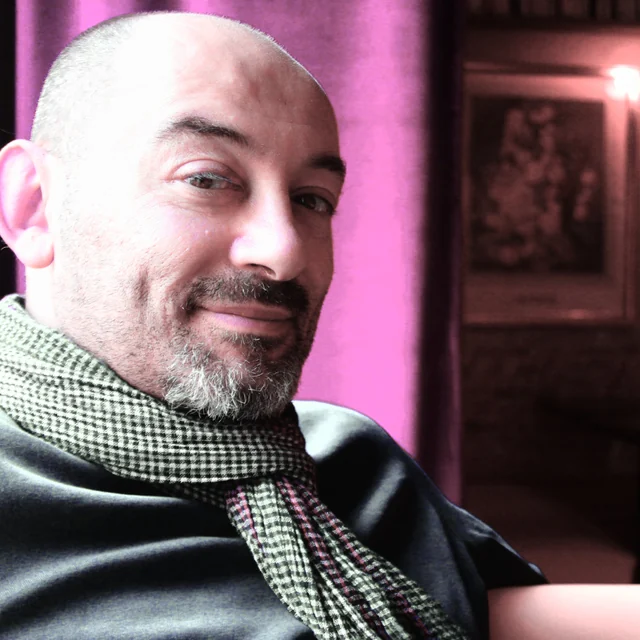
Andrea — the composer behind Palpito

I'm a working media composer in Italy, and a musician first — guitar and piano. To me, notes are only instructions; the performance is the message. That belief is the whole premise of Palpito, and the Moods carry Italian names because Italian is my mother tongue, the language classical music already speaks — and a musical language in its own right. Built for me first; shared because it works.

I built the engine myself, over a lot of time and a lot of trial and error, for composers in the same struggle I know first-hand. I'm also a fresh father — by adoption — with less time than ever and sharper priorities, which is exactly why giving time back matters to me. The core app is free forever; Pro is what funds the work and keeps it going.

— Andrea, media composer, Italy

Straight answers

Questions worth asking

Does Palpito use AI?
Not on your music. The app ships no machine-learning model and makes no network call — it drafts CC1/CC11 curves algorithmically from your MIDI and the target library's behavior, fully offline, and the same MIDI always produces the same curve. Like most software written today, Palpito itself was built with AI assistance — that's our tooling, not your data. Your music is never uploaded, never sent to a model, and never used as training material.
What is CC11 expression — and how is it different from CC1?
CC11 is the MIDI expression controller. In orchestral sample libraries it shapes moment-to-moment loudness and phrasing on top of CC1 (dynamics/modulation), letting notes swell and taper the way a real player breathes through a phrase. CC1 carries the broad arc; CC11 does the finer shading. Riding only one flattens the result — Palpito shapes both. If you want to go deeper on real phrases, the free guide Make It Breathe walks exactly this ground.
How often does it change, and where do I read what changed?
Often, and in one place. Every build's notes are written in composer language rather than engine language — what moved, what it sounds like, and what is byte-for-byte identical to yesterday — and they all live on the release notes page, newest first. The current build is Beta 38. Palpito also checks for a new version only when you ask it to, from a Check for updates button; it never phones home on its own.
Which libraries does it support?
Palpito is library-aware for major orchestral libraries including Spitfire BBCSO, Cinematic Studio Strings, VSL, EastWest and Orchestral Tools, and it is articulation-aware within them — so vibrato lands on the CC your library actually listens to (for example, the lane reads "CC21 · Spitfire"). Why every library wires vibrato to a different CC — and what that does to a mockup — is a story of its own: we wrote it down.
Which DAWs does it work with?
Any of them. Palpito reads and writes standard MIDI files — it never touches your session. Generate the curves, export the .mid, and drop it onto a track in Logic, Cubase, Studio One, Reaper, Pro Tools, or anything else that imports MIDI.
Is Palpito a subscription?
No subscription, ever. The free app is a genuine tool — the full phrase-aware engine on viola, french horn and clarinet — not a crippled trial or a time limit. Pro is a one-time purchase: €29 pre-order before the 22 October 2026 launch, €99 after — −70 € / 71% off — and it comes with lifetime access to every update and upgrade that follows, no version treadmill. Founding price is locked for the life of the app.
What's free, and what's in Pro? (full table)

Every instrument and every articulation in the app, listed. Silver = free, gold 💎 = Pro. Same engine in both — Pro is more of the orchestra and more of the performance.

↔ Scroll the table sideways to see both columns.

FamilyFree💎 Pro
💎 Pro includes everything in Free — every row below lists what Pro adds on top of it.
Instruments — 32 in all
Strings Viola Violin I · Violin II · Cello · Contrabass
Brass French Horn Trumpet · Trombone · Tuba
Extended: Piccolo Trumpet · Flugelhorn · Bass Trombone · Cimbasso · Wagner Tuba
Woodwinds Clarinet Flute · Oboe · Bassoon
Extended: Piccolo · Alto Flute · Cor Anglais · E♭ Clarinet · Bass Clarinet · Contrabassoon
Keys Piano · Celesta · Marimba · Vibraphone · Harp
Percussion & other Melodic percussion · Choir (ah) · Pad
Articulations — free tier is sustain + staccato, on the free instruments
Strings long (sustain)
staccato
legato · pizzicato · tremolo · marcato · portato/tenuto · détaché · con sordino · spiccato
Brass long (sustain)
staccato
legato · marcato · portato/tenuto · sforzando · staccatissimo · stopped
Woodwinds long (sustain)
staccato
legato · marcato · portato/tenuto · sforzando · staccatissimo · flutter (flutes)
Keys sustain · staccato · staccato (short) · pluck (harp) · harmonic (harp) · muted (vibraphone) · hard (marimba)
Percussion & other sustain · staccato · staccato (short) · hit · roll
The performance
Engine core CC1 dynamics · CC11 expression · phrase-awareness · intensity arc · Humanize · Density · Bézier / stepped curves Identical — CC1 dynamics · CC11 expression · phrase-awareness · intensity arc · Humanize · Density · Bézier / stepped curves. Nothing in the engine is held back from Free.
Vibrato CC21 lane, Spitfire mapping Per-library remap — Cinematic Studio (CC2) · VSL Synchron (CC20) · Orchestral Tools (CC3/CC4) · custom
Bow changes Real tempo-spaced bow-change routing (strings)
Breath / air Per-instrument breath engine — brass and woodwinds: breath marks in the piano roll, CC1/CC11 dips, a CC2 lane on brass, anticipatory expression
Moods None + Cantabile Seven more one-click characters
Save your own presets
Workspace Delay compensation · tempo detection · variable zoom · Full Timeline View · drag-to-export · both themes Identical — delay compensation · tempo detection · variable zoom · Full Timeline View · drag-to-export · both themes. The whole workspace ships in Free.
Price €0, forever €29 founding pre-order · €99 at launch · −70 € / 71% off · one-time, lifetime updates Reserve yours →

Free is a real tool, not a trial: the complete phrase-aware engine and the complete workspace, on one genuine voice per section. Pro keeps all of that and adds the rest of the orchestra and the performance layers on top — it is strictly additive, never a different engine.

If everything is already built, why can't I buy Pro today?
Because built and proven are different things, and Pro is what you would be paying for. Every capability listed above runs in the app today — that is why it is described as a feature list rather than a roadmap. What is still happening is the part that does not demo well: each component is being hardened in beta testing, the eleven extended instruments are getting their per-instrument character pass, and a handful of colour articulations are being revised until they are convincing rather than merely present. Anything that cannot be made convincing gets pulled from the menu instead of sold to pad a list. Pro opens when that work is done — founding pre-orders open before the 22 October 2026 launch. Paying later for something finished beats paying now for something that is not.
The free app is in beta — will it keep changing?
Yes, and that's the point. Palpito is in active development: the free app is refined as the work goes on, both before the Pro launch and long after it. Expect new builds — engine refinements, instruments and articulations getting their character pass, workspace improvements. You'll get an email when a new version is ready, with a plain list of what changed. Nothing installs itself, nothing expires, and the app never checks on its own — there's a Check for updates button in the About dialog that only runs when you press it, so you update when it suits you. Two things worth saying plainly: MIDI you've already exported into your DAW is a file like any other — a new version cannot reach back and alter it; and because the engine is refined over time, re-generating an old part on a newer build can give you a better curve rather than a byte-identical one. Determinism means the same version always gives the same result for the same input, not that the app is frozen forever.
Is there a Windows version?
macOS is signed and notarized today. A Windows build exists, works, and is in beta — we can send it on request while code-signing is finalised. Two ways to get it: sign up with the form on this page and reply to the confirmation email saying you're on Windows, or just write to hello@palpito.audio. Either reaches us directly — there's no Windows checkbox to miss.
Does my music leave my computer?
Never. Palpito is fully offline — no upload, no account required to run it, no telemetry on your MIDI. Your work stays on your machine, full stop. The only thing we ask for is an email, so we can tell you when the free download opens.
Free · offline · macOS

Give your lines their breath back.

One email, and you're first in line when the free download opens. Draft the performance in minutes — then stay the performer.

Double opt-in · we'll email you the moment the free download opens, then a note when a new version ships or the pre-order opens — nothing else, unsubscribe in one click.

click anywhere to close

Privacy notice