Make it breathe.
A composer's field guide to CC expression — for composers, and the curious. Why your mockup sounds fake (and it isn't your reverb), what CC1 and CC11 each actually do, and how brass, strings and winds put the breath back. No special tool required — just your DAW, your ears, and a couple of faders you may have been ignoring.
Double opt-in · we'll email you the moment the guide and the free download are ready, then a note when a new version ships or the pre-order opens — nothing else, unsubscribe in one click.

Pages from the guide — the real thing.
The full contents
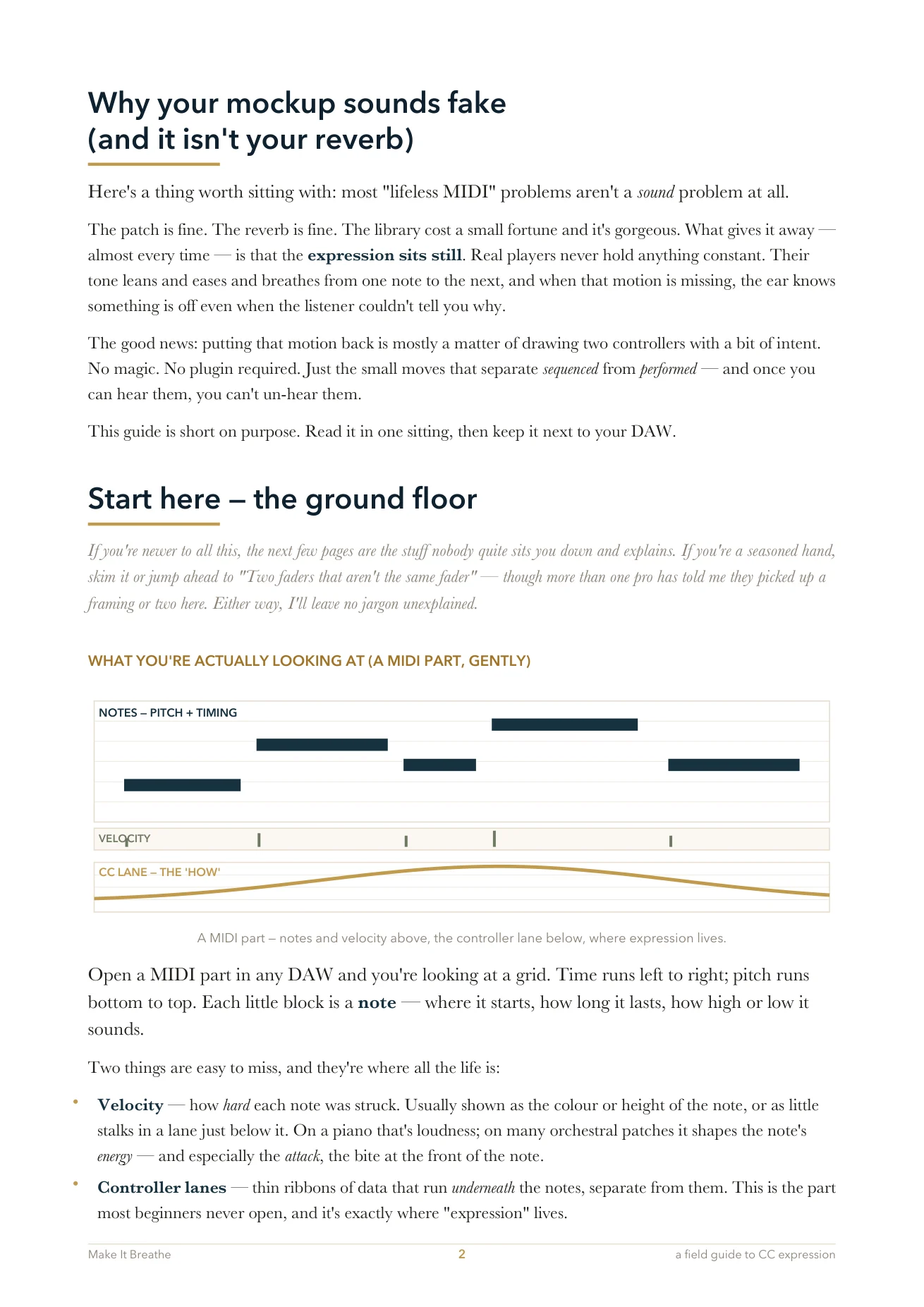
Why your mockup sounds fake (and it isn't your reverb)
Start here — the ground floor
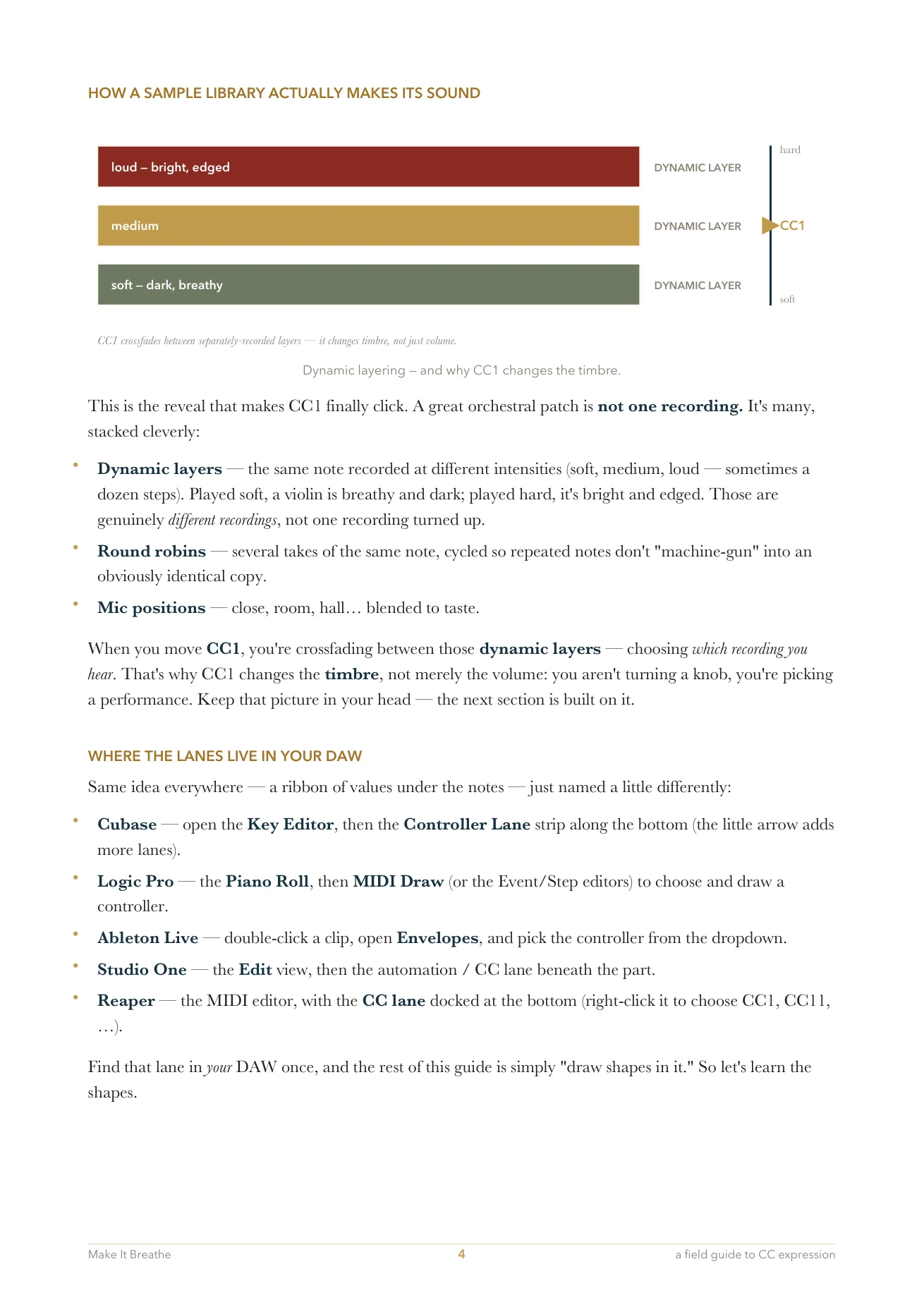
a MIDI part, gently · what "expression" means · "CC", the mod wheel & the two lanes · your setup · how a sample library makes its sound · where the lanes live in your DAW
1 · Two faders that aren't the same fader
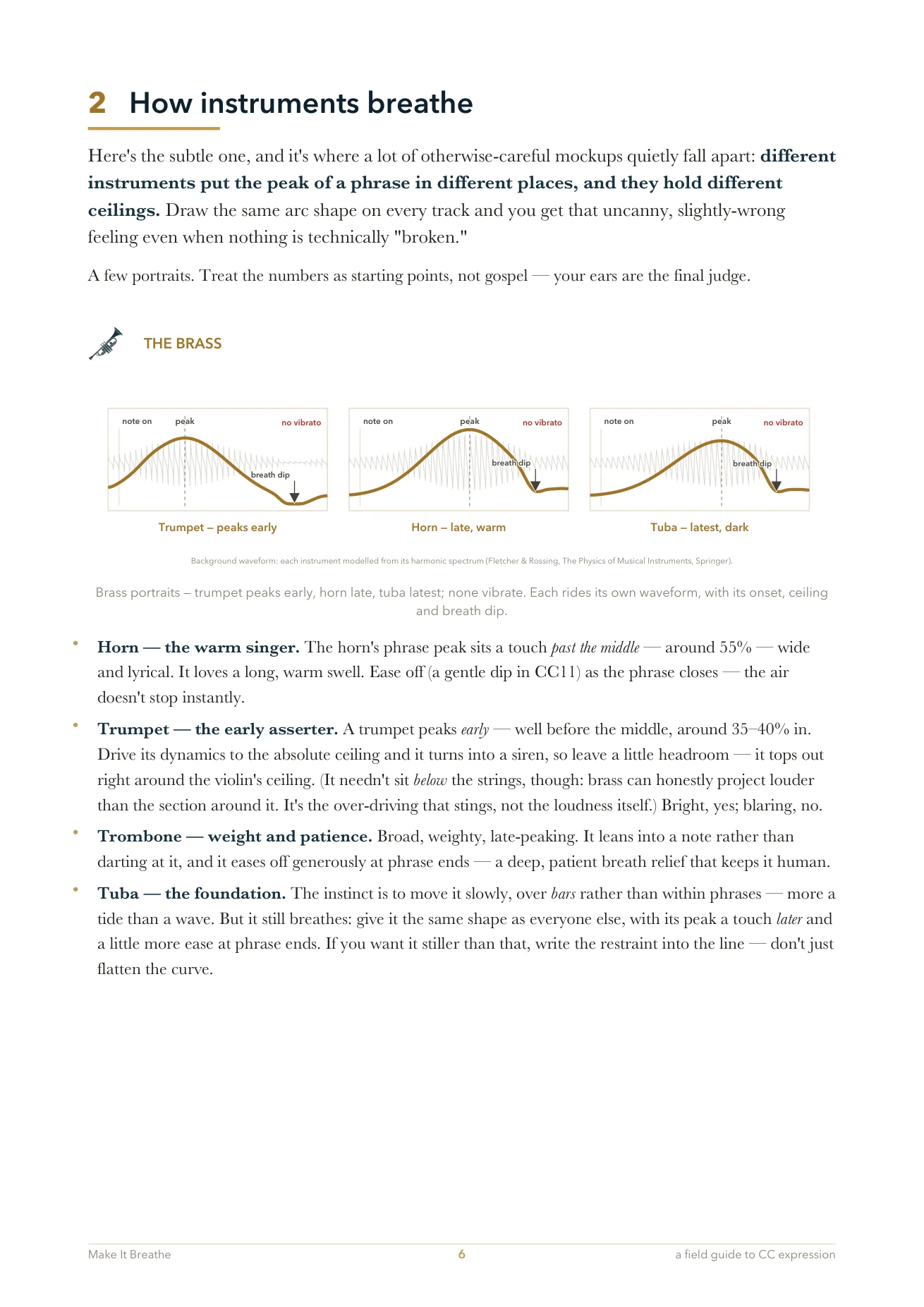
2 · How instruments breathe
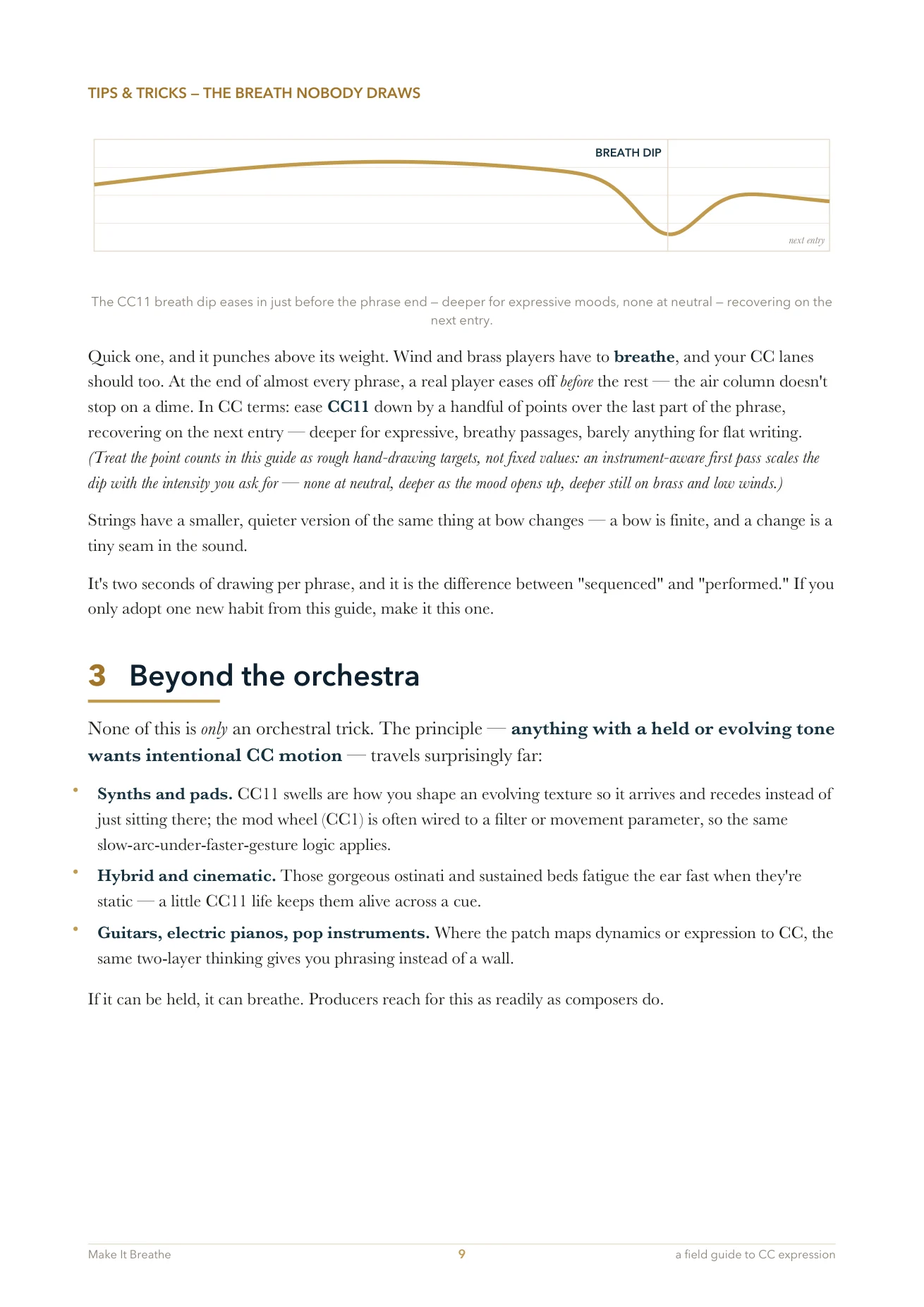
the brass · the strings · the winds · tips & tricks — the breath nobody draws
3 · Beyond the orchestra
4 · Drawing it in your DAW
with the mouse · or playing it in, hands on the controllers
5 · Going further
phrase shape vs note detail · velocity vs CC · sustained vs short · legato · vibrato & breath
Quick reference · A short glossary · One more thing
Three moves that separate sequenced from performed.
-
1
Two faders that aren't the same fader
CC1 crossfades the dynamic layers — it picks which recording you hear, so it changes the timbre and should move slowly. CC11 shapes the phrase and its detail, moves faster and finer, and leads CC1 slightly.
Drawing them as the same shape is the single most common reason a mockup reads as flat.
-
2
How instruments breathe
Different instruments put the peak of a phrase in different places, and they hold different ceilings. Draw the same arc on every track and you get that uncanny, slightly-wrong feeling even when nothing is technically broken.
Portraits for the brass, the strings and the winds — starting points, not gospel. Your ears are the final judge.
-
3
The breath nobody draws
At the end of almost every phrase a real player eases off before the rest — the air column doesn't stop on a dime. Ease CC11 down over the last part of the phrase, recover on the next entry. Strings get a smaller version at bow changes.
Two seconds of drawing per phrase. If you adopt one new habit from the guide, make it this one.
Also inside: a gentle ground floor for anyone new to CC lanes, where the lanes live in Logic and Cubase, drawing with the mouse versus playing it in with your hands, velocity versus CC, legato, vibrato — plus a quick reference and a short glossary.
Make It Breathe.
The whole guide is on this page, free and ungated — scroll up and read it. Leave your email and you’ll get a note when the PDF and a new version land.
Double opt-in · one note when the PDF and a new version land, and when the pre-order opens. Nothing else, unsubscribe in one click.